← All Libraries

JavaScript UI library

React Homework Help

Components, hooks, state management, and testing for university JavaScript coursework. The most common React 18 deduction is stale closures inside useEffect that capture an old version of state, the bug our tutors trace through the fiber reconciliation walk. Verified CS graduates from Purdue, BITS Pilani, and Georgia Tech, starting at $20 per task, 12-hour average turnaround.

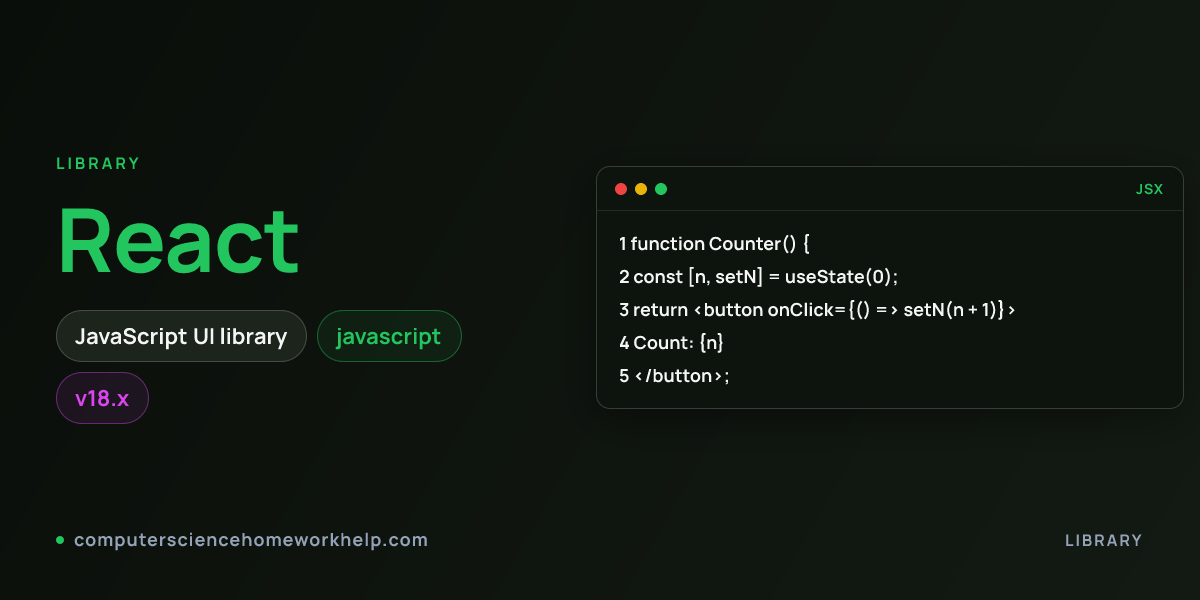
React hero visual showing the library name and an idiomatic code snippet
18.x Version
JavaScript Primary Language
7 Common Project Types
9 Answered FAQs

About

About React

React is a JavaScript library for building user interfaces through composable components and a declarative rendering model. The 18.x release line introduced concurrent rendering, automatic batching of state updates, and the useId, useTransition, useDeferredValue, and useSyncExternalStore hooks. Where pre-hooks React (before 16.8) relied on class components with lifecycle methods, modern React uses function components plus hooks for state, side effects, refs, context, and memoization.

Students meet React in CS50W (Harvard Web Programming), full-stack electives, capstone projects with a Django or Express backend, and internship preparation tracks. The library renders through a virtual DOM diffed against the previous render, with the fiber reconciler walking the component tree and committing only the changed subtree to the real DOM. CSHH tutors deliver components using the function syntax with TypeScript-friendly props interfaces, hooks composed into custom hooks for reuse, state managed locally with useState or globally with Context plus useReducer (or Redux Toolkit for non-trivial state graphs), routing via React Router v6, side effects through useEffect with explicit cleanup, performance through useMemo, useCallback, and React.memo applied with measured profiler evidence not speculation, and tests written with Jest plus React Testing Library that query by role and accessible name rather than internal class names.
Coursework

Common React Project Types

Todo list with localStorage persistence

The canonical first React project. useState for the todo array, useEffect for localStorage sync on every change, controlled input for the new-todo field with onChange and onSubmit handlers, conditional rendering for filter tabs (all, active, completed), and key prop on the rendered list using a stable id rather than the array index. Tutors include 6 React Testing Library tests covering add, toggle, delete, filter, edit, and persistence across page reloads.

Weather dashboard fetching OpenWeather API

useEffect for the initial fetch keyed on city name, AbortController in the cleanup function to cancel in-flight requests when the city changes, loading and error states displayed conditionally, custom useFetch hook to encapsulate the fetch lifecycle, and React.memo on the WeatherCard component to skip re-renders when props are referentially equal.

E-commerce product catalog with cart

React Router v6 for /products, /products/:id, and /cart routes, Context plus useReducer for the cart state (ADD_ITEM, REMOVE_ITEM, UPDATE_QUANTITY, CLEAR), useMemo for the derived totals (subtotal, tax, shipping), and React.lazy plus Suspense for the checkout route code-split bundle. Tutors include integration tests using MemoryRouter.

Real-time chat with WebSocket

useEffect to open a WebSocket connection on mount and close on unmount, useReducer for the message list with APPEND_MESSAGE action, useRef to autoscroll the message container to the bottom on new messages, useCallback for the onSend handler to keep the child component reference stable, and useSyncExternalStore to subscribe to the WebSocket state in a concurrent-safe way.

Form-heavy application with React Hook Form

React Hook Form with Zod schema validation, useFieldArray for dynamic field groups (multiple addresses, multiple line items), watch for conditional fields, useFormState for tracking dirty and touched state, and FormProvider plus useFormContext for deeply nested form components. Tutors include test cases for happy path submit, validation error display, and reset behavior.

Admin dashboard with charts

React Router v6 with nested routes (/admin/users, /admin/orders, /admin/reports), Recharts or Chart.js for visualizations, React Query (TanStack Query) for server state with stale-while-revalidate caching, useDeferredValue on search inputs to keep typing responsive while filtering 10,000 rows, and react-window for virtualized lists.

Authentication flow with JWT

AuthContext exposing user, login, logout, and a useAuth hook, ProtectedRoute component wrapping authenticated routes that redirects to /login if the token is missing, axios interceptor that attaches the Authorization header to every request and triggers logout on 401, and refresh-token flow that silently swaps the access token before expiry.

Debugging

React Debugging Patterns We Teach

Broken (stale closure) jsx
function Counter() {
  const [count, setCount] = useState(0);
  useEffect(() => {
    const id = setInterval(() => {
      // captures count = 0 forever
      setCount(count + 1);
    }, 1000);
    return () => clearInterval(id);
  }, []);
  return <span>{count}</span>;
}
Fixed jsx
function Counter() {
  const [count, setCount] = useState(0);
  useEffect(() => {
    const id = setInterval(() => {
      // functional updater always sees latest count
      setCount((c) => c + 1);
    }, 1000);
    return () => clearInterval(id);
  }, []);
  return <span>{count}</span>;
}
Functional updater inside setState always sees the latest value, escaping the stale closure that an empty deps array captures.
Broken jsx
{items.map((item, i) => (
  <Row key={i} item={item} />
))}
Fixed jsx
{items.map((item) => (
  <Row key={item.id} item={item} />
))}
Stable id keys preserve component identity across list reorderings; index keys cause focus loss, animation restarts, and form-state leakage.

Controlled-vs-uncontrolled input switching

An input rendered with value={state} where state starts as undefined gets treated as uncontrolled (no value prop) on first render, then controlled (value="abc") on the second render. React logs "A component is changing an uncontrolled input to be controlled". Fix by initializing the state to an empty string useState(""), or by switching to defaultValue if the input should remain uncontrolled.

Infinite re-render from setState in render body

Calling setState directly in the function body triggers a render, which calls setState again, ad infinitum. React eventually aborts with "Too many re-renders". Move the setState into a useEffect (if it should run after every render), an event handler (if user-triggered), or derive the value during render with useMemo if no state update is actually needed.

useEffect missing dependency warning

react-hooks/exhaustive-deps ESLint rule flags variables used inside useEffect that are not in the dependency array. Do not silence with an eslint-disable comment. Either add the dependency (and accept the effect re-runs on those changes), wrap the callback in useCallback to keep its reference stable, or move the value out of the component if it never changes.

Context value triggers cascade re-renders

A Context Provider with value={{ user, setUser, theme, setTheme }} creates a new object literal on every parent render, so every consumer re-renders even if neither field actually changed. Fix by either splitting into two Contexts (UserContext + ThemeContext), or wrapping the value in useMemo with explicit dependencies. The fiber reconciler still walks the tree but the bailout in React.memo skips committing if props are referentially equal.

Memory leak from missing cleanup in useEffect

An effect that subscribes to a WebSocket, sets up an event listener, or starts a setInterval but does not return a cleanup function leaks subscriptions on every dependency change. Always return a cleanup: useEffect(() => { const id = setInterval(...); return () => clearInterval(id); }, []). React calls the cleanup before re-running the effect and on unmount.

Hydration mismatch in Next.js or SSR

Server renders one DOM tree, client renders a different one on first render. Common causes: rendering Date.now() or Math.random(), using window or document during render (server has no DOM), or conditional rendering based on user agent. Fix by deferring the differing render to useEffect (which only runs client-side), or by using suppressHydrationWarning sparingly on the specific node that will intentionally differ.

Code Examples

Idiomatic React Code Our Tutors Ship

Custom hook with functional updater useCounter.tsx
function useCounter(initial = 0) {
  const [count, setCount] = useState(initial);
  // Functional updater is stale-closure safe inside effects
  const increment = useCallback(() => setCount((c) => c + 1), []);
  const reset = useCallback(() => setCount(initial), [initial]);
  return { count, increment, reset };
}

export function Counter() {
  const { count, increment } = useCounter();
  return (
    <button onClick={increment} aria-label="increment">
      Count: {count}
    </button>
  );
}
Effect with AbortController cleanup useFetchAbortable.tsx
function useUser(id: string) {
  const [user, setUser] = useState<User | null>(null);
  useEffect(() => {
    const ctrl = new AbortController();
    fetch(`/api/users/${id}`, { signal: ctrl.signal })
      .then((r) => r.json())
      .then(setUser)
      .catch((e) => { if (e.name !== "AbortError") throw e; });
    return () => ctrl.abort();
  }, [id]);
  return user;
}

Related

React in Context

Paired language

JavaScript Homework Help

Production-grade solutions for React, Node.
Related subject

Data Structures Homework Help

Data structures homework help from verified CS graduates.
Related subject

Algorithms Homework Help

Algorithms homework help from verified CS graduates.

FAQ

React Tutoring FAQ

Do you help with React hooks (useState, useEffect, useReducer, useContext)?
Yes. All 14 official hooks plus custom hook composition. useState with functional updaters for state that depends on previous state, useEffect with explicit dependency arrays and cleanup functions, useReducer for complex state transitions, useContext for cross-tree state sharing, useMemo and useCallback for measured performance fixes (not speculative ones), useRef for DOM access and mutable values that should not trigger re-renders, useImperativeHandle for forwardRef customization, useLayoutEffect for synchronous DOM measurements, useDebugValue for custom hook devtools labels, useDeferredValue and useTransition for concurrent rendering, useId for accessibility id generation, useSyncExternalStore for subscribing to external stores in concurrent-safe ways.
Can you help with Redux Toolkit?
Yes. createSlice for reducer plus action generation in one block, configureStore for the store with Redux DevTools and thunk middleware included by default, createAsyncThunk for async operations with pending, fulfilled, rejected actions, RTK Query for server state with automatic caching and refetch, useSelector and useDispatch hooks for component access, and createEntityAdapter for normalized state. Tutors prefer Redux Toolkit over plain Redux because the boilerplate reduction is significant.
Do you help with React Router?
Yes. React Router v6 with createBrowserRouter and RouterProvider for the modern data-loading pattern, or the older BrowserRouter plus Routes plus Route nested pattern. useNavigate for programmatic navigation, useParams for URL parameters, useSearchParams for query strings, useLocation for the current location, loaders and actions for data fetching colocated with routes, and protected routes via a wrapper component that checks auth and redirects to /login.
Can you write tests with Jest and React Testing Library?
Yes. Component tests querying by accessible role and name (getByRole("button", { name: /submit/i })), user interactions via @testing-library/user-event (typing, clicking, hovering), async assertions with waitFor and findBy, mocking modules with jest.mock, fetch mocking with msw (Mock Service Worker) or jest.spyOn(global, "fetch"), and snapshot tests sparingly (preferred for stable DOM structures). Coverage typically targets 80% on user-facing logic.
Do you help with React performance optimization?
Yes. We profile with React DevTools Profiler first to identify actual bottlenecks, then apply targeted fixes: React.memo on pure components receiving stable props, useMemo for expensive derived values, useCallback for event handlers passed to memoized children, code splitting with React.lazy and Suspense, virtualization with react-window for long lists, and useDeferredValue for non-urgent updates. We avoid premature optimization because useMemo and useCallback have their own overhead.
Can you help with TypeScript in React?
Yes. Function components typed as React.FC or with explicit props interfaces, hooks with generic type parameters (useState(null)), event handlers typed (React.ChangeEvent), refs typed (useRef(null)), Context with proper type narrowing, discriminated unions for state machines, and zod or io-ts for runtime schema validation that produces TypeScript types.
How fast is React homework delivered?
12-hour average turnaround with components, hooks, routing, state management, and React Testing Library tests. Rush 4 to 6 hours for an additional fee. Pricing: $20 Debug and Explain per task, $30 Full Solution per task, $40 per hour Live Tutoring.
Do you help with Next.js?
Yes. Pages router and App router both supported. Server components versus client components, route handlers as API endpoints, server actions for form submissions, static generation with generateStaticParams, incremental static regeneration with revalidate, middleware for auth checks at the edge, dynamic imports with next/dynamic for code splitting, and image optimization with next/image. Tutors deliver on the version (12, 13, 14, 15) your course uses.
Can you walk through fiber reconciliation?
Yes. Each component instance maps to a fiber node holding the type, props, state, and pointers to parent, sibling, and child. On a state update, React schedules work and walks the fiber tree in two phases. Render phase: pure, interruptible, produces a work-in-progress tree by comparing element type and key. Same type and key reuses the fiber and updates props. Different type or key destroys the old fiber and creates a new one. Commit phase: synchronous, applies DOM mutations, runs layout effects, then passive effects. The walkthrough explains why key prop matters (it gates fiber reuse) and why setState inside render loops (each schedule triggers another walk).

Need React Help?

Submit your React assignment and get a working, commented solution within 12 hours from a verified CS graduate. Plagiarism-free, line-by-line annotated, with a reproducible test suite where the rubric allows it.

Submit React Assignment